Princeton University Art Museum Website Redesign
Princeton University Art Museum Website Redesign - I was contracted by Bluecadet as the Lead Engineer and Site Builder for the Princeton University Art Museum website development in Drupal 11+. In close collaboration with the Bluecadet and PUAM teams, we launched a new digital experience that matches the ambition of the museum's striking new David Adjaye–designed building—inviting exploration from every direction with dynamic, accessible entry points that honor Princeton's commitment to both scholarly rigor and public accessibility. The result is a platform that serves casual visitors and dedicated researchers equally well, with intuitive navigation and powerful search capabilities that bring the museum's collection of over 117,000 artworks to life online. visit site
Date
October 2024 - August 2025
Role
Lead Engineer / Site Builder
Agency
Bluecadet & Princeton University Art Museum
Tech
Drupal 11+, Single-Directory Components (SDC), CSS, Javascript, React, PHP, Twig, Accessibility
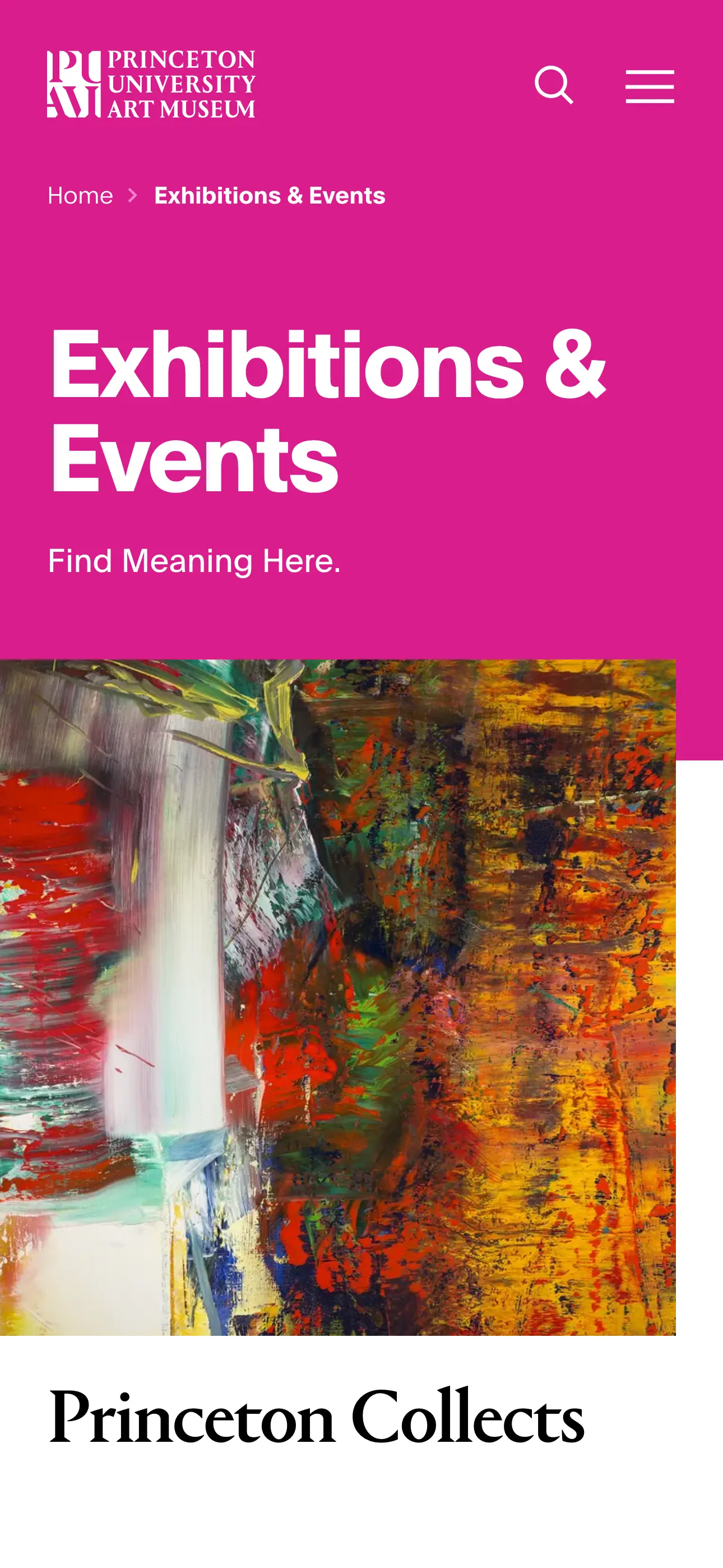
Exhibitions & Events
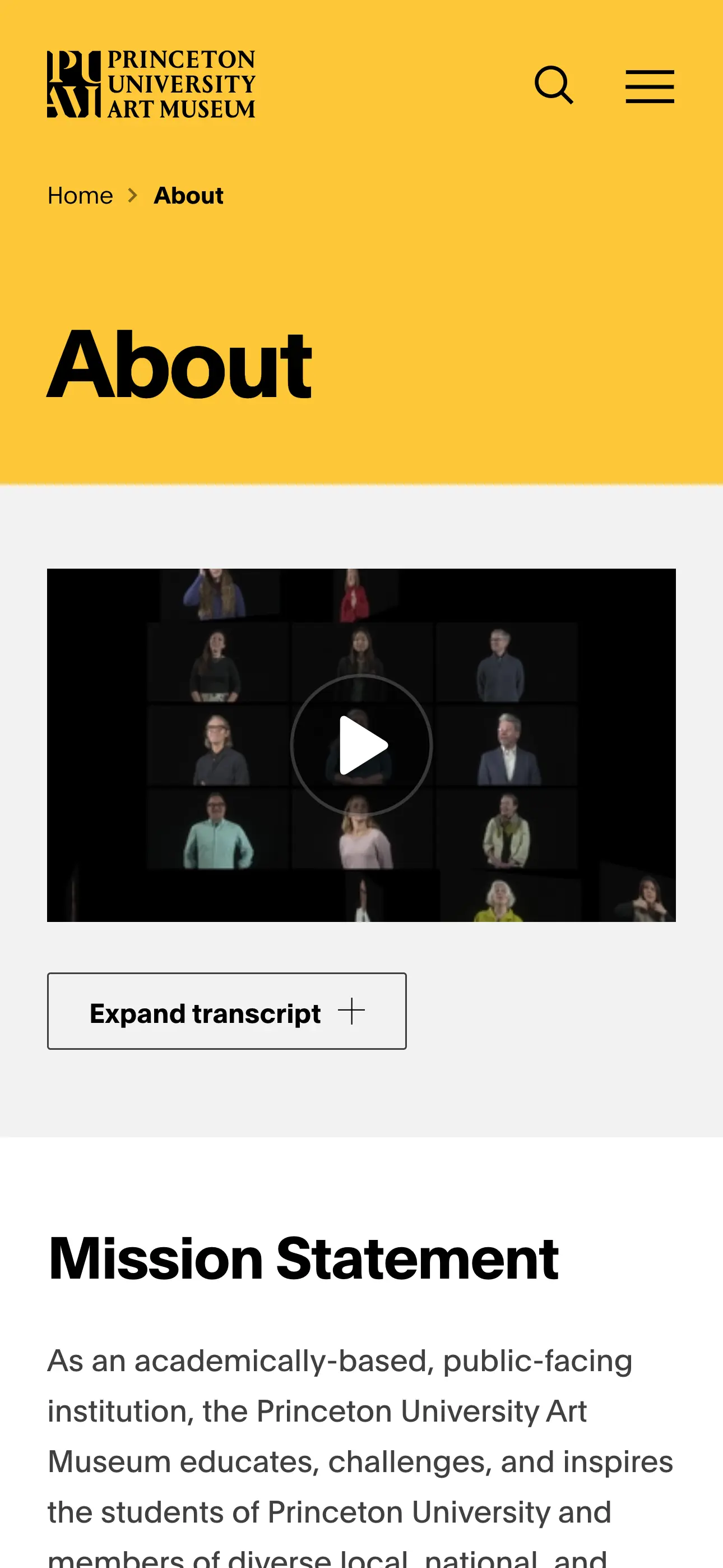
About Us
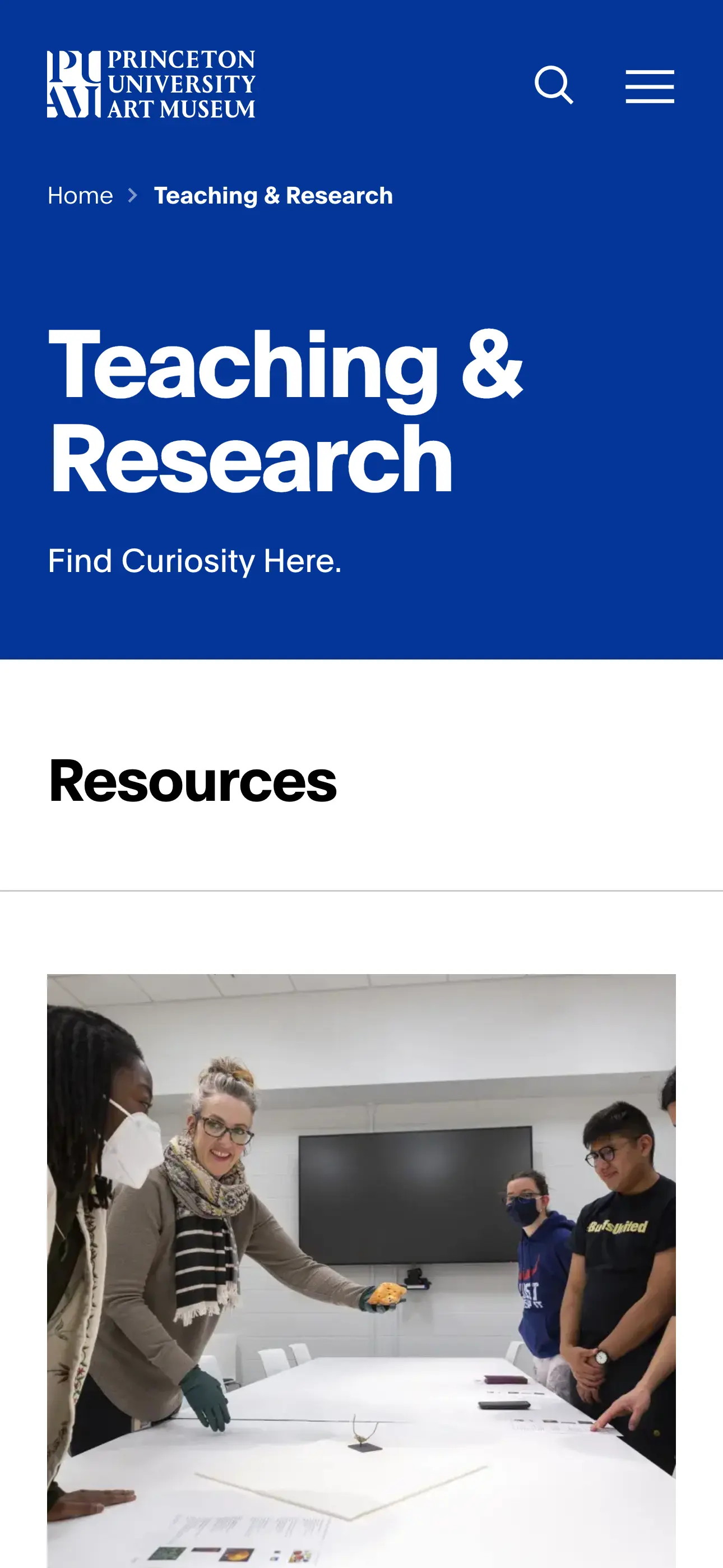
Teaching & Research
Homepage Arrival Moment Animations
Homepage Intro Sequence
The homepage creates an immersive arrival moment through a full-screen hero slideshow that introduces the Museum as a cultural and academic hub—welcoming, active, and open to all. Built as a Single Directory Component (SDC) for Drupal, this modular component combines sophisticated animations, intuitive multi-modal navigation, and comprehensive accessibility features to establish an engaging and inclusive first impression.
Key Features & Technology
Supports multiple input methods: mouse wheel, keyboard (arrow keys, Home/End), touch gestures, and clickable vertical line pagination. Built with vanilla JavaScript and Drupal behaviors using requestAnimationFrame for smooth performance. Body scroll locking keeps users focused until the final slide.
Visual Progress Indicators: Vertical line pagination displays real-time slide duration and progress. Each segment fills bottom-to-top using CSS transitions (linear, 4 seconds), freezing when users manually navigate. Pagination fades in on load and out on the final slide.
Adaptive Controls: “Skip” appears on all slides except the last for quick navigation to the end, while “Scroll Down” appears only on the final slide. Both use CSS transitions and ARIA attributes for smooth, accessible interactions.
Accessibility: WCAG-compliant with ARIA live regions for slide announcements, proper role attributes, dynamic tabindex management, and full keyboard navigation. All interactive elements include descriptive aria-labels with automatic focus management.
Performance & Media: Preloads images before advancing, uses debounced handlers and IntersectionObserver for efficiency. Supports responsive images and Vimeo videos with play/pause controls. Features Ken Burns effect on images and parallax scrolling on exit.
Tech Stack
- Architecture: Drupal Single Directory Components (SDC)
- JavaScript: Vanilla JS, Drupal behaviors, IntersectionObserver
- HTML/CSS: BEM methodology, CSS custom properties, CSS transitions
- Accessibility: ARIA live regions, semantic roles, keyboard navigation
- Media: Responsive images (picture/source), Vimeo iframe API
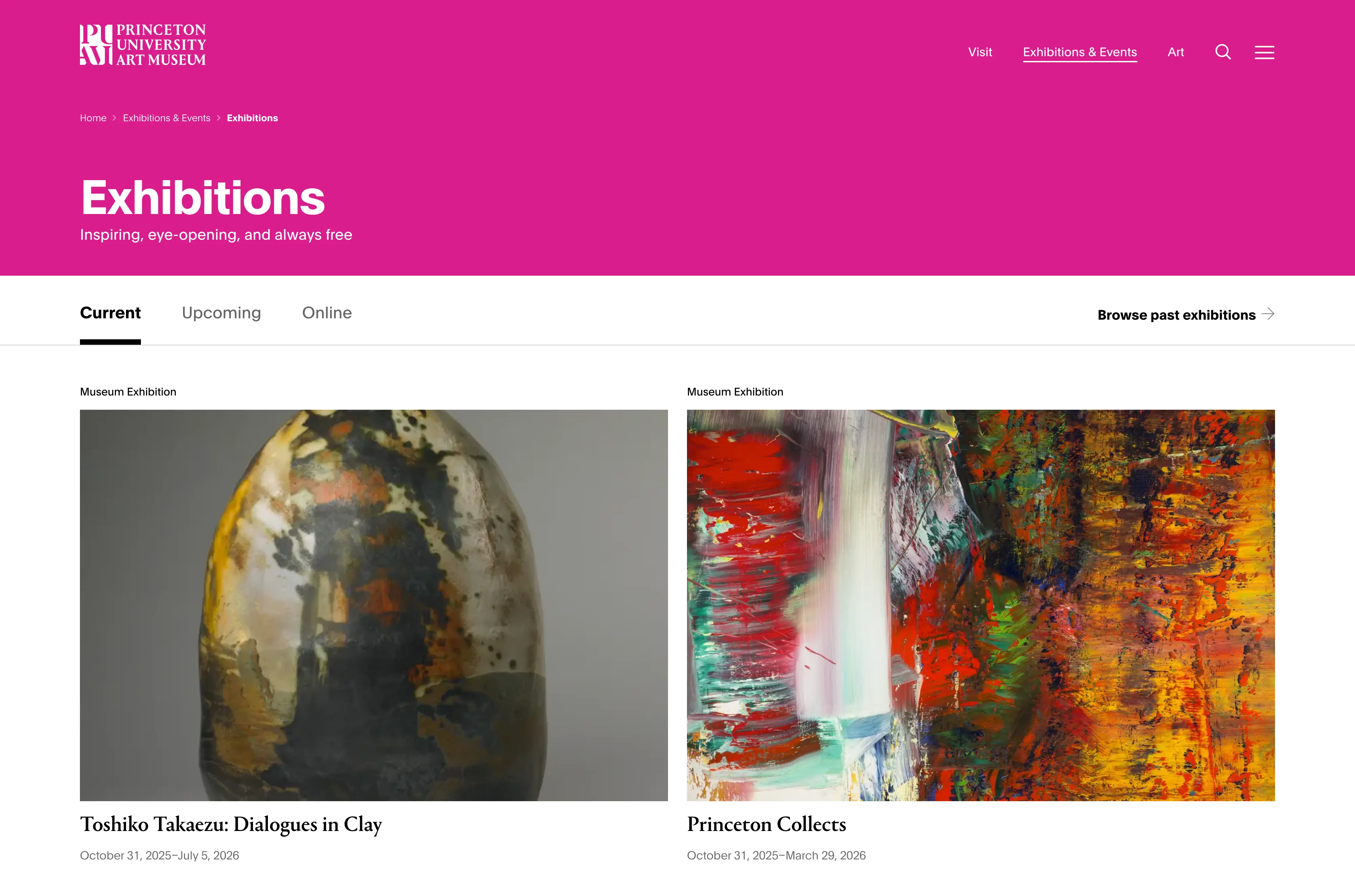
Exhibitions page with Drupal's Views Exposed Filters (Desktop)
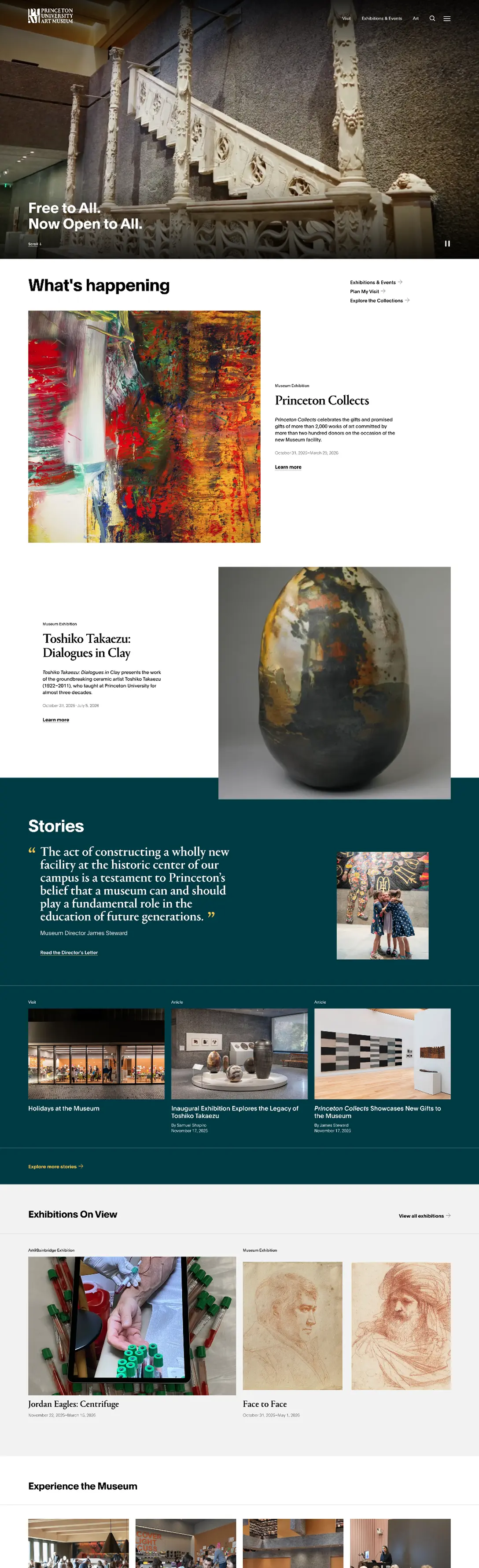
Homepage (Desktop)
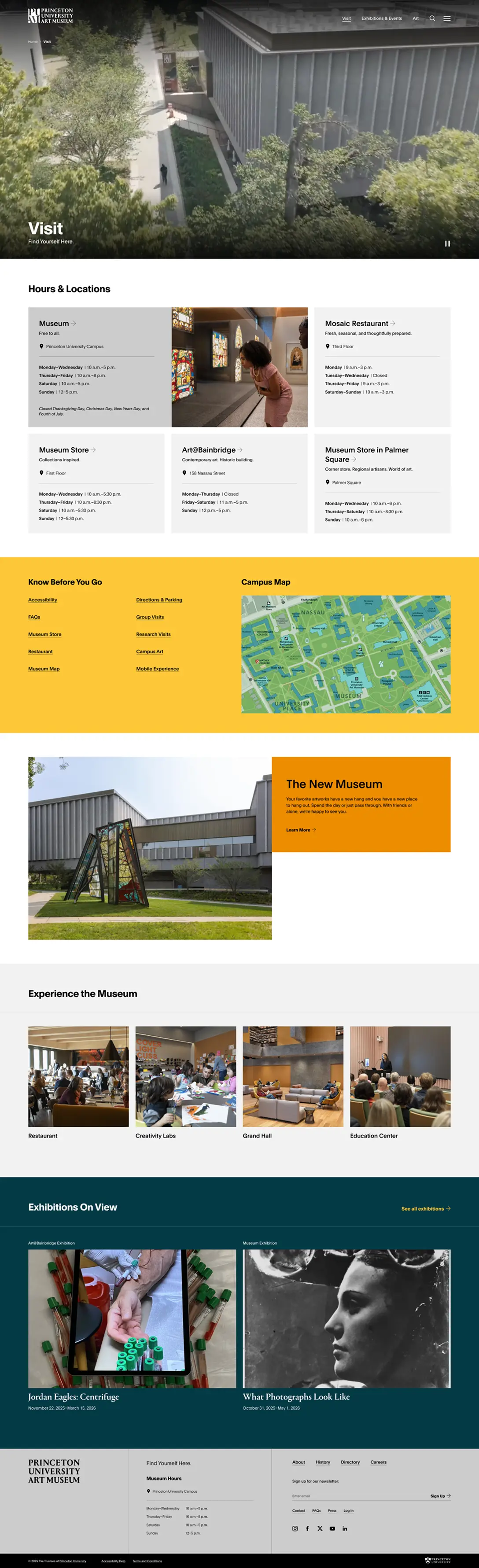
Visit Landing Page (Desktop)
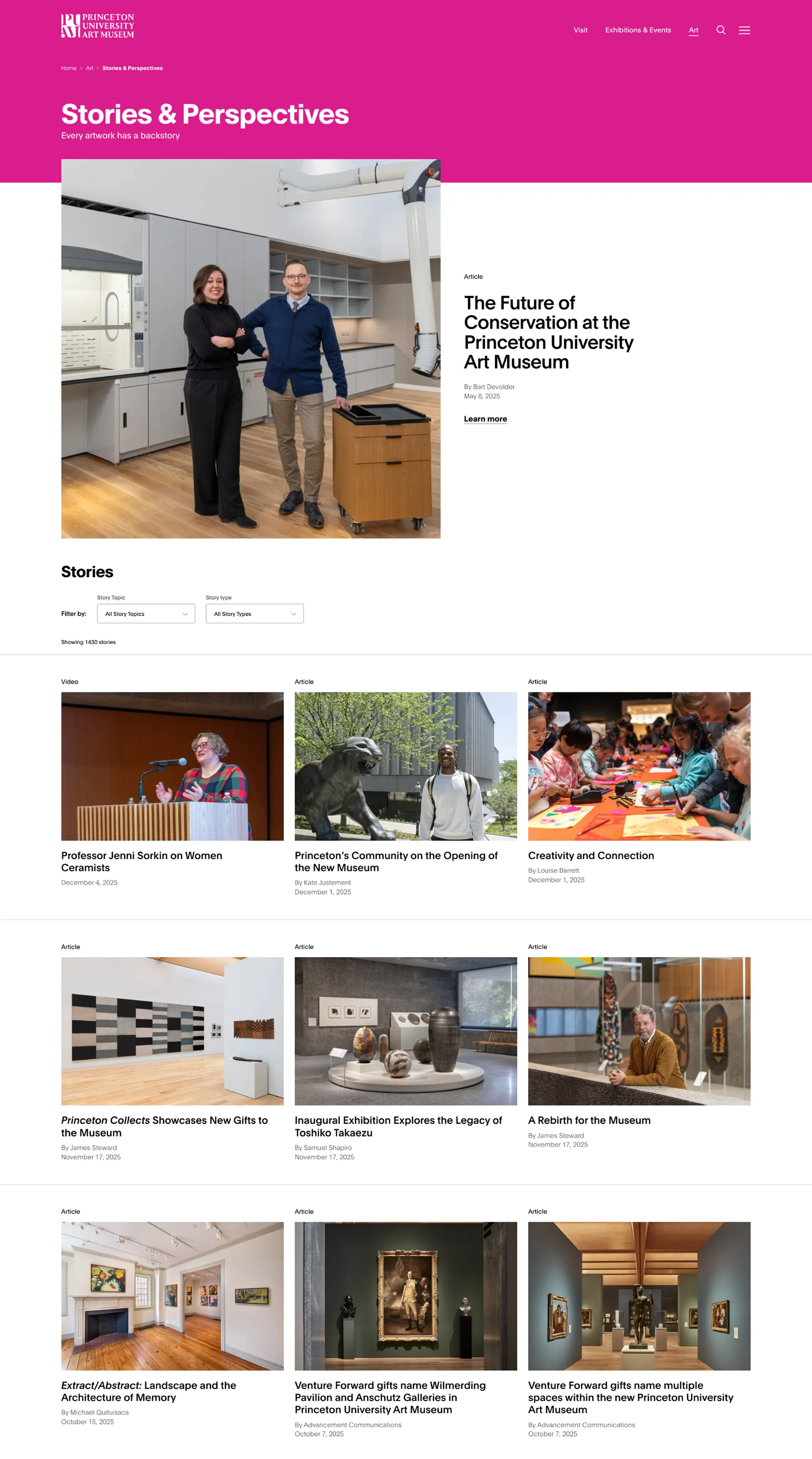
Stories & Perspectives Page (Desktop)
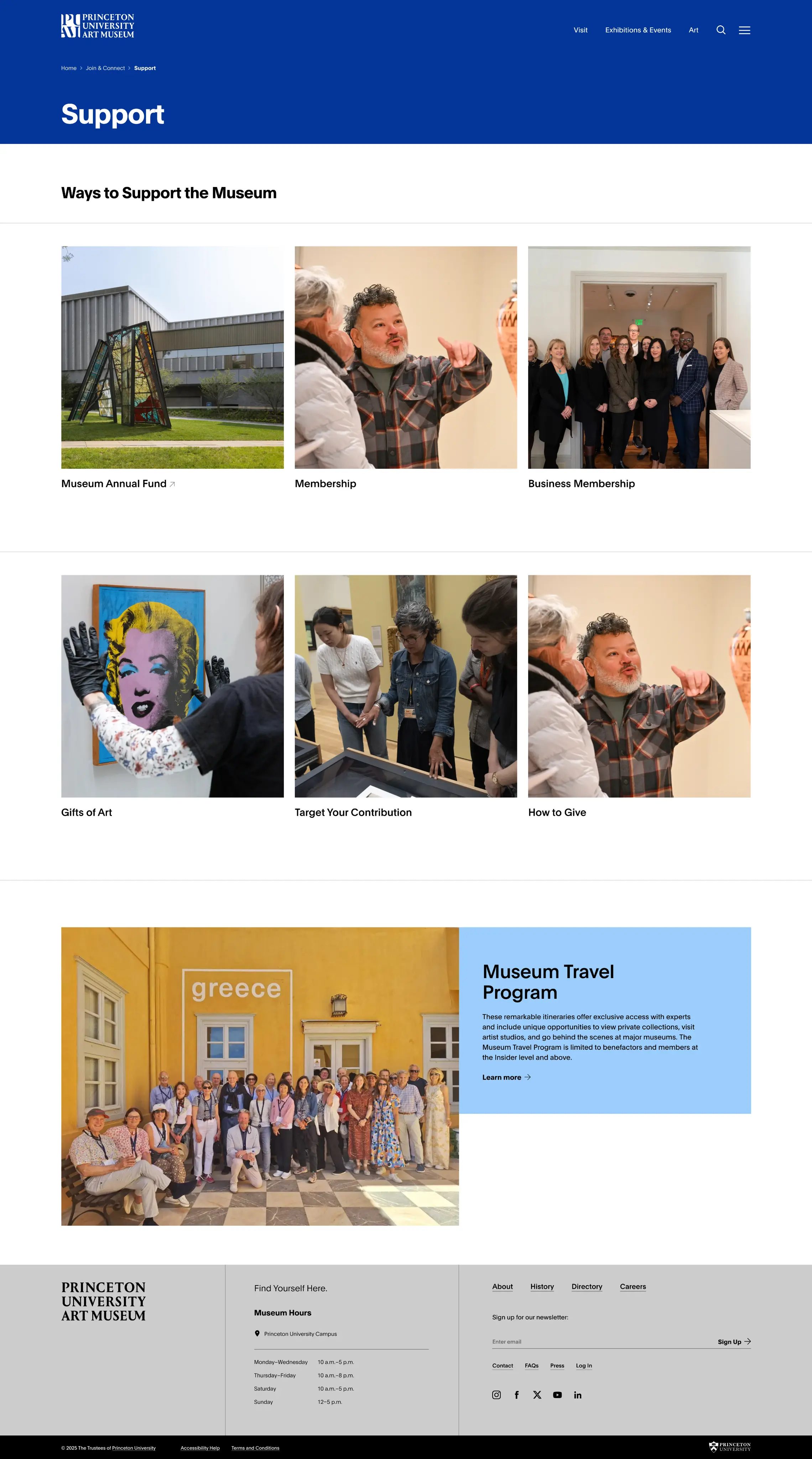
Support Landing Page (Desktop)
Single Directory Components (SDC)
To ensure long-term maintainability and ease of content authorship, I developed a comprehensive component library of 70+ Single Directory Components integrated throughout the Drupal architecture. These components are seamlessly incorporated into nodes, paragraphs, views, blocks, media, and other Drupal entities.
Each component includes properly defined props and slots with detailed descriptions for developer documentation, making the codebase approachable for future maintainers. To enhance the content authoring experience, I implemented a paragraph browser featuring visual thumbnails of each component, giving content authors clear visibility into which elements they're adding to pages. This SDC-first approach streamlined development while ensuring PUAM's team could confidently manage the site post-launch.
Demo of the Collection Search App features
Collection Search using React
The centerpiece of the user experience is a sophisticated collection search tool that makes exploring over 117,000 artworks both intuitive and delightful. Designed and built in close collaboration with the Museum's development team, the search interface offers helpful suggestions, intelligent filters for year, culture, and place made, plus a playful “surprise me” feature that encourages serendipitous discovery. For scholars and researchers, an advanced search mode enables granular queries across specific fields with Boolean logic support for precise research needs.
In close collaboration with the PUAM Dev team, I transformed the beta version of the React app to align with the new branding, ensuring a cohesive experience across the entire website. The app is maintained as a standalone repository, packaged via npm, and integrated into the Drupal 11+ site through a custom module that seamlessly loads all build assets.
Demo of the “Sign in to save objects” dialog
Saving Objects
Another standout feature of the site is the “Saving Objects” feature, which leverages Drupal's Flag module to enable museum visitors to curate personal collections of artworks when browsing the site. When users authenticate through Princeton ID CAS Login, they gain access to “My Collection” — a Views page that displays all their saved items in an organized list. For non-authenticated visitors, attempting to save an object triggers a dialog that encourages them to sign in, creating a clear pathway to engagement while respecting the feature's authenticated nature.
When logged-in users flag an object, a heart icon in the site header provides immediate visual feedback through a carefully timed animation sequence. This real-time response was achieved through a MutationObserver-based behavior that monitors DOM changes and manages animation states, ensuring consistent feedback across AJAX interactions without requiring page reloads. In addition, we exposed the flagged data via custom REST API endpoints, making user collections accessible to the Collection Search React app.
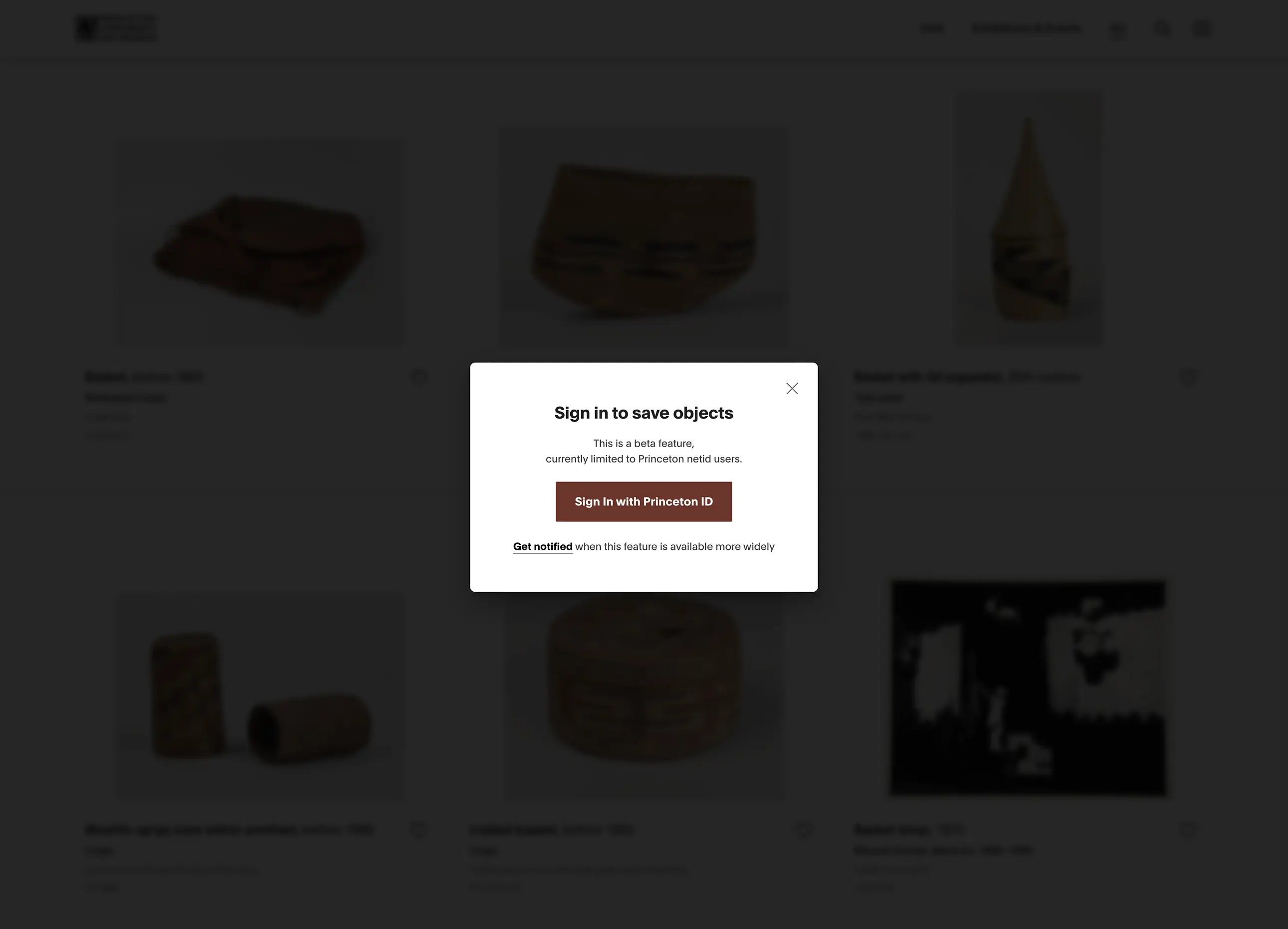
Sign in to save objects dialog (Desktop)
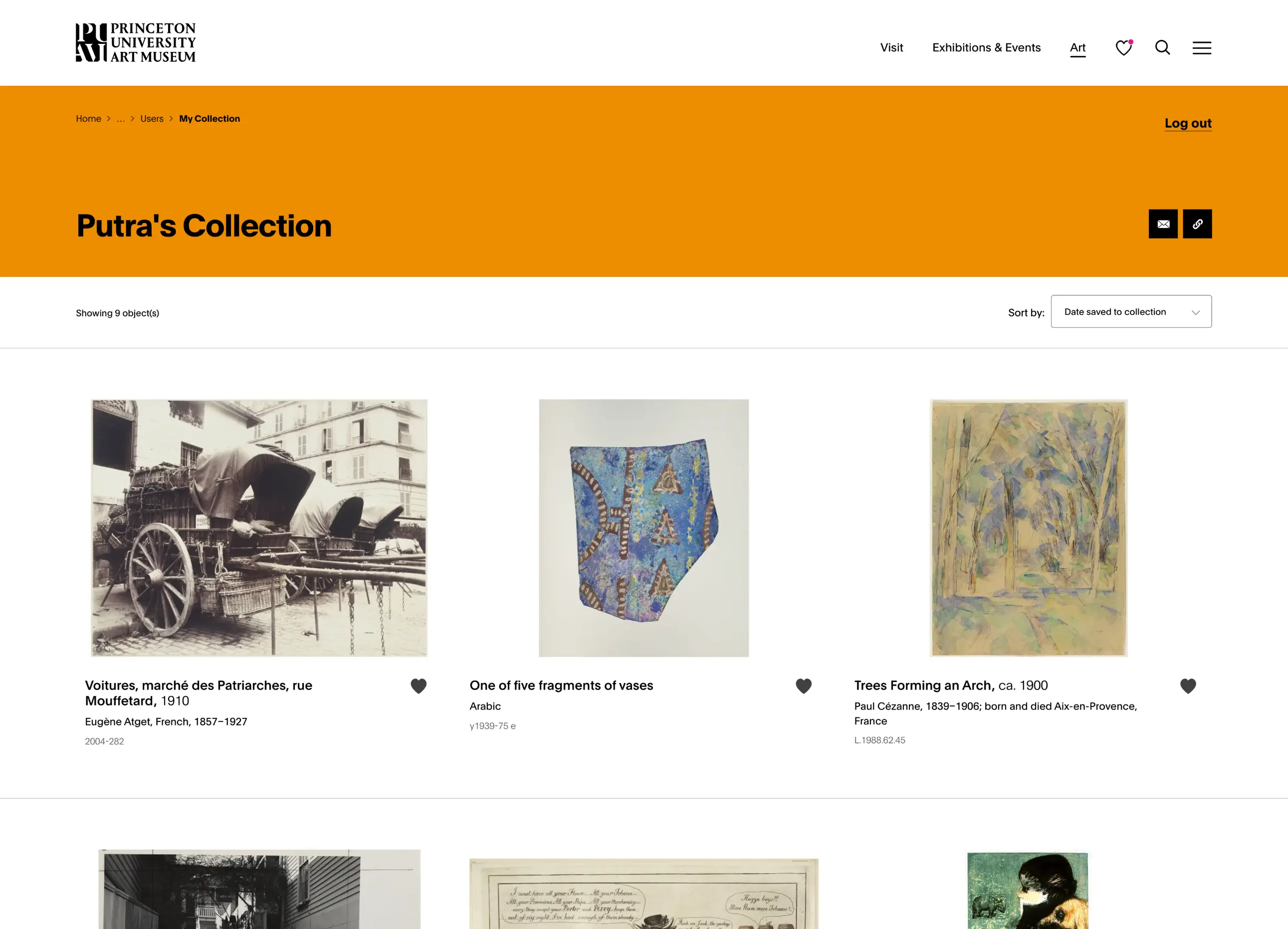
Example of a user's saved objects within a collection (Desktop)
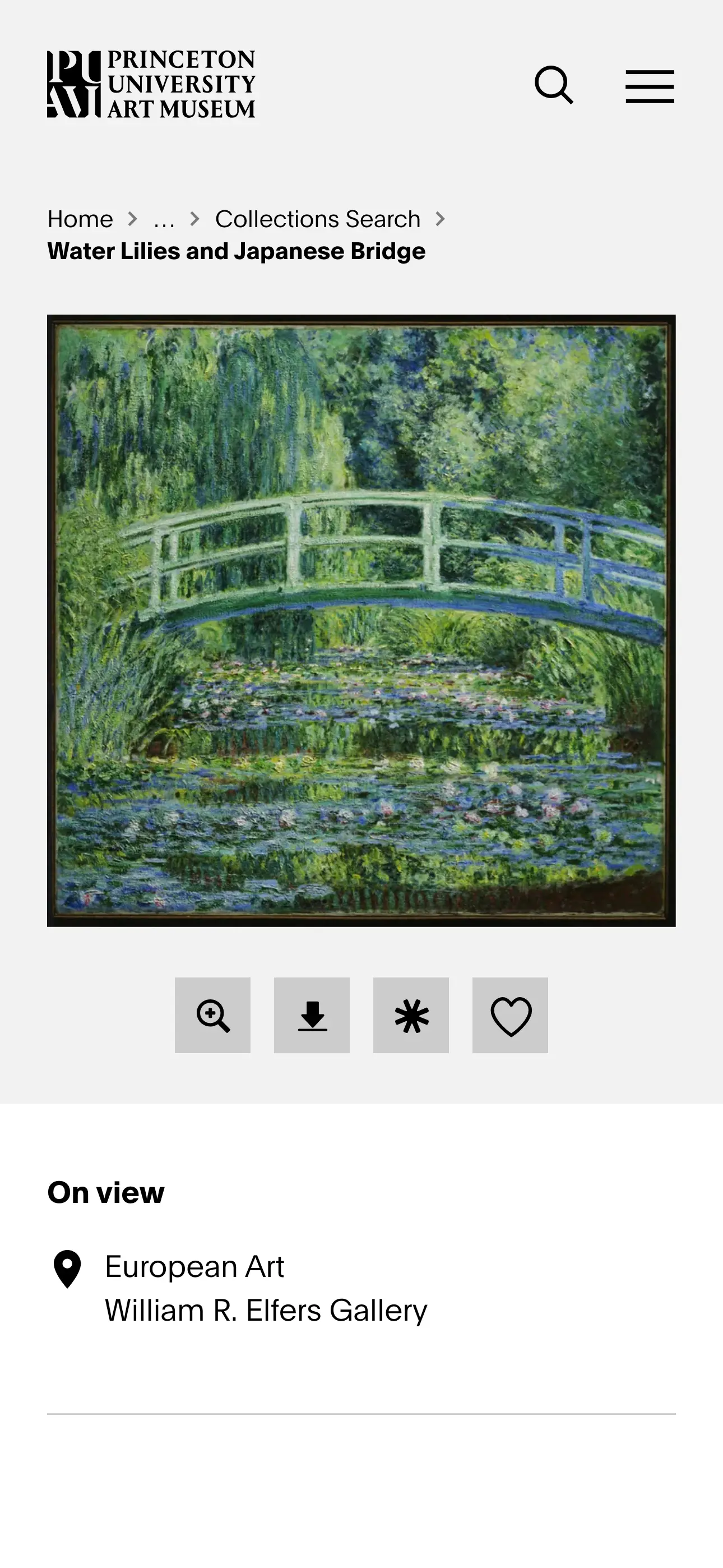
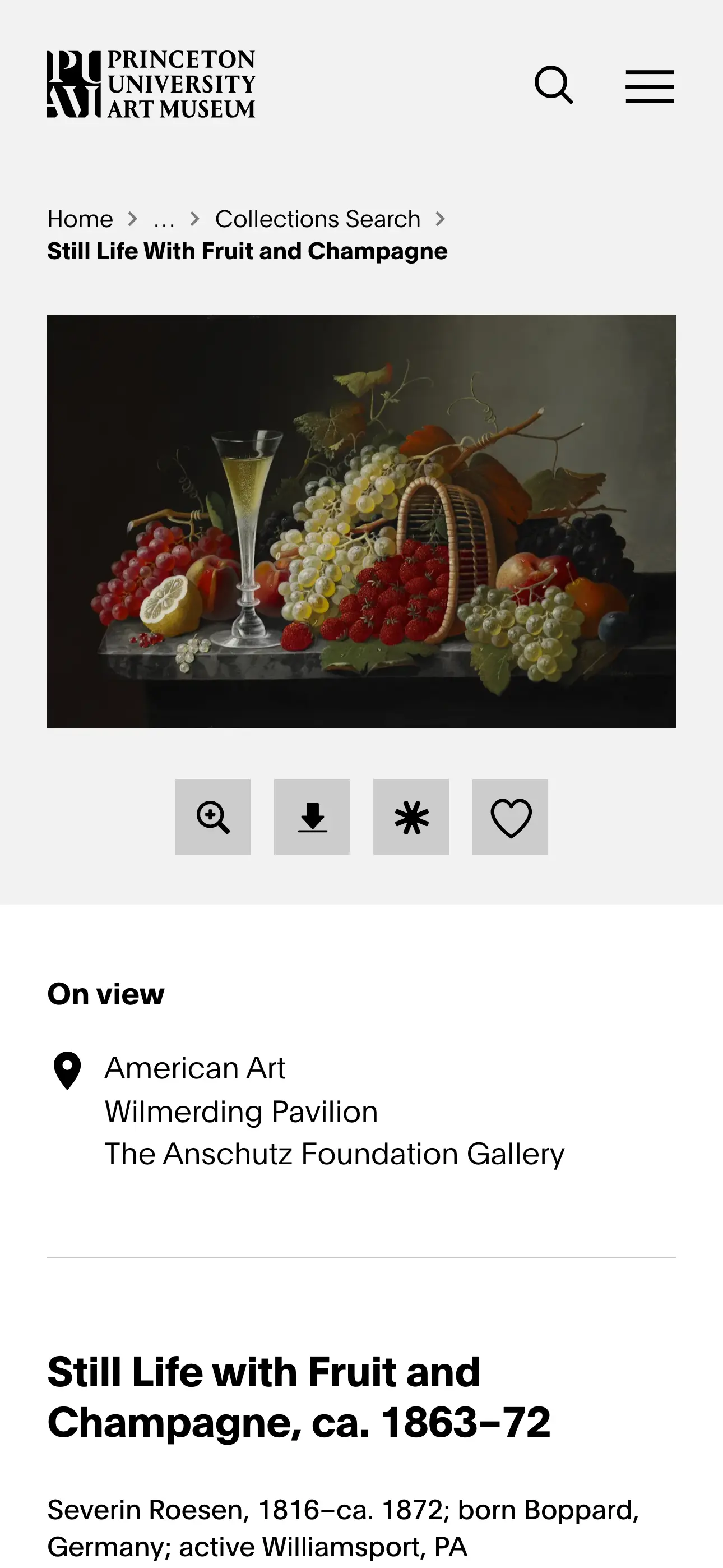
Object Detail Page
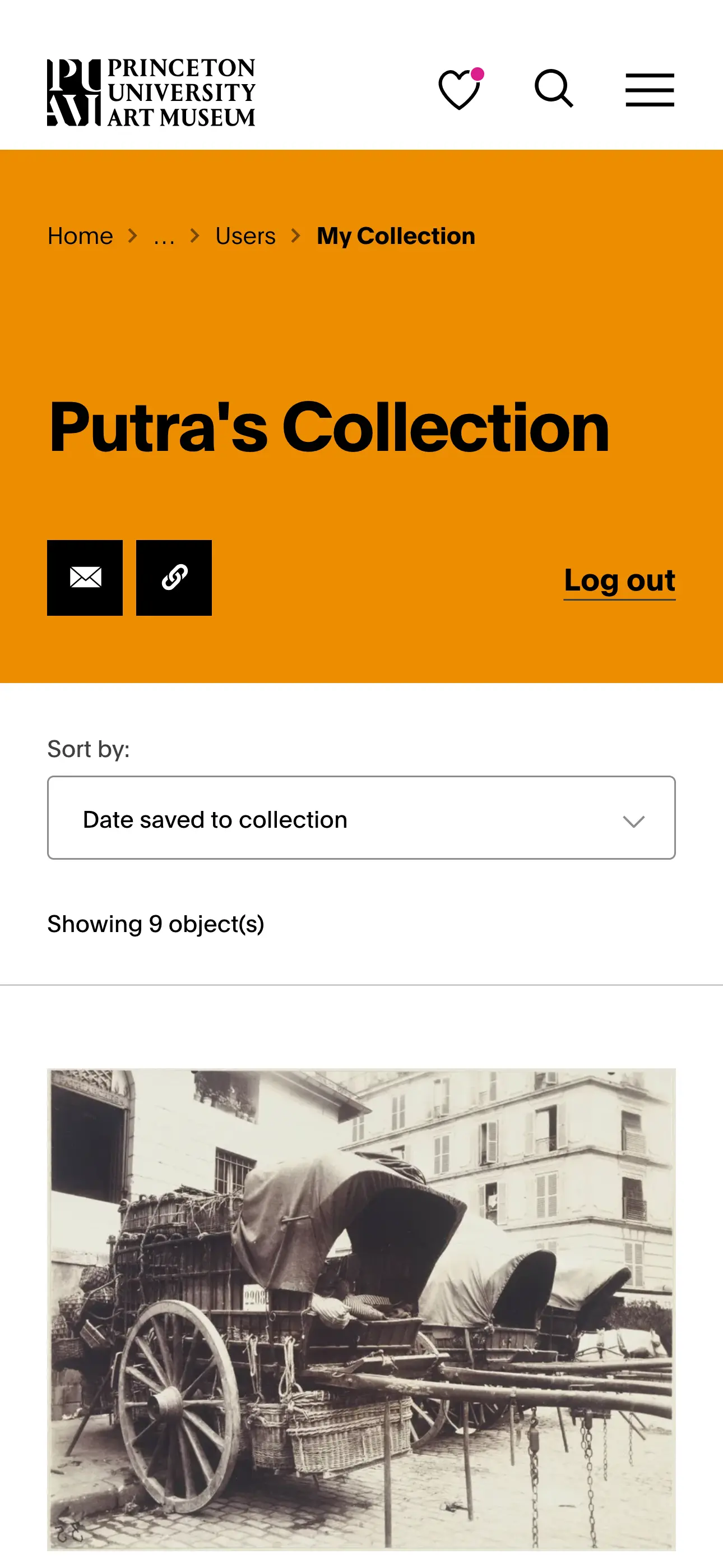
My Collection Page
Exhibition Detail Page
Summary of Role
- Served as Lead Engineer and Site Builder, handling both frontend and backend development for the full Drupal 11+ implementation
- Architected and developed 70+ Single Directory Components with comprehensive documentation and a visual browsing interface for content authors
- Developed the Homepage Intro Sequence and account of multiple rounds of feedback related to animations and accessibility
- Transformed the beta version collection search (React app) to align with new brand guidelines and worked closely with the PUAM development team to package it as an npm module for Drupal integration
- Built custom various Drupal modules like the Menu Branding color that allows content authors to pick color per page
- Collaborated directly with the PUAM development team on artwork collection data synchronization and API architecture
- Partnered with Bluecadet's Project Manager to establish sprint schedules, development milestones, and client delivery timelines
- Ensured accessibility and usability standards were met across all components and features
- Prepared comprehensive handoff documentation and training to enable PUAM's team to independently manage the site post-launch
Stats.
Date
October 2024 - August 2025
Role
Lead Engineer / Site Builder
Agency
Bluecadet & Princeton University Art Museum
Tech
Drupal 11+, Single-Directory Components (SDC), CSS, Javascript, React, PHP, Twig, Accessibility
next project